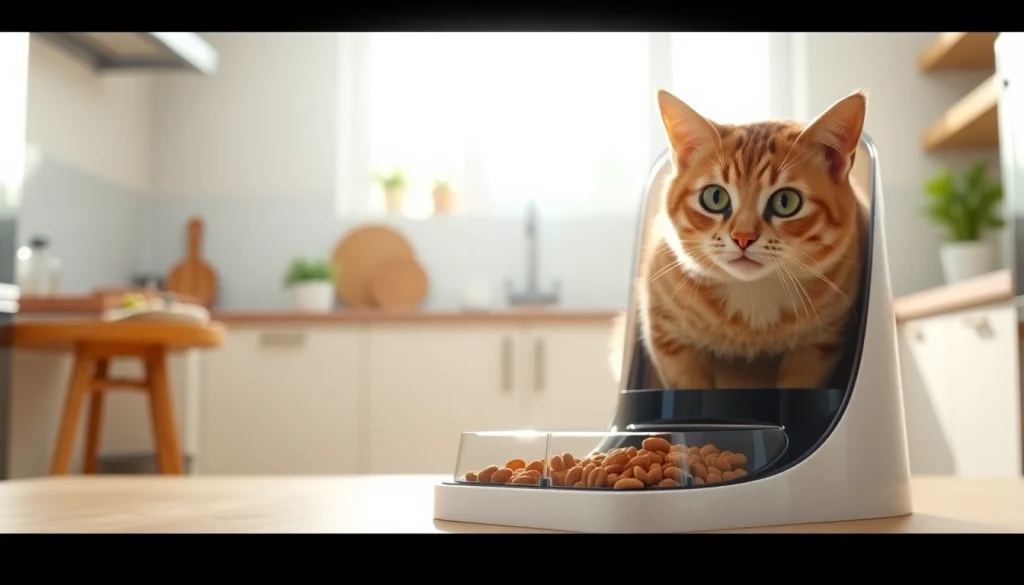
Understanding the WOPET Automatic Pet Feeder
What is the WOPET Automatic Pet Feeder?
The WOPET automatic pet feeder is a sophisticated device designed for pet owners to simplify feeding routines for their furry companions. Combining technology with convenience, this feeder allows you to schedule feeding times, manage portion sizes, and ensure that your pet is nourished even when you’re not home. The WOPET feeder is suitable for both cats and dogs, adapting to the needs of various pet sizes and dietary requirements. With models featuring WiFi connectivity, portion control, and programmable settings, it offers a level of feeding automation that is becoming essential for many pet owners looking to streamline their pet care routines.
Key Features and Specifications
The WOPET automatic pet feeder boasts several key features that set it apart from traditional feeding methods. Here are some of its most notable specifications:
- Capacity: Many models, such as the WOPET Patrol, come with a large 6L food hopper, minimizing the frequency of refills.
- Programmable Feeding: Set schedules for up to 15 meals a day, adjusting portion sizes to meet your pet's dietary needs.
- WiFi Connectivity: Allows remote control via a mobile app, letting you feed your pet or check their eating habits from anywhere.
- Voice Recording: Capture your voice to call your pet for their meals, adding a personalized touch to feeding time.
- Quality Materials: Made with safe materials, including options with stainless steel bowls to promote hygiene.
Benefits for Pet Owners
The advantages of using the WOPET automatic pet feeder extend well beyond mere convenience. Here are some key benefits recognized by pet owners:
- Consistency: Ensures your pet receives meals at the same time each day, fostering a healthy eating schedule.
- Portion Control: Helps manage your pet’s weight by allowing precise control over food portions.
- Time-Saving: Frees up your schedule, reducing the stress of daily feeding tasks.
- Peace of Mind: Provides reassurance that your pet is fed even during busy days or short trips away from home.
- Helps with Separations: For pets prone to anxiety when left alone, the voice recording feature can alleviate some stress during feeding.
Setup and Installation
Unboxing Your WOPET Automatic Pet Feeder
Upon receiving your WOPET automatic pet feeder, the first step is unboxing it. Inside the package, you’ll typically find:
- The feeder unit itself
- A power adapter
- Instructions manual
- A measuring cup for portion control
Ensure all components are present and examine the unit for any visible damages. Once you confirm everything is intact, you are ready to begin the installation process.
Connecting to Your Home Network
For models that support WiFi connectivity, connecting your WOPET feeder to your home network is crucial for remote usage. Here’s a step-by-step procedure:
- Download the WOPET app from your device's app store.
- Turn on the feeder and go to the app to create an account if you haven’t already.
- Follow on-screen instructions to create a connection with your home WiFi network. Ensure you know your network's name and password.
- Once connected, you'll receive a confirmation notification on the app.
Having established a connection, you can now remotely control feeding schedules and portions.
Configuring Feeding Schedules and Portions
After setting up the device and connecting it to your WiFi, configuring the feeding schedules is straightforward:
- Open the WOPET app on your mobile device and select your feeder from the device list.
- Navigate to the feeding schedule settings and set the times you want your pet to be fed.
- Decide on portion sizes per meal, which can usually range from small bites to full servings, based on your pet's dietary needs.
It’s advisable to start with controlled portions and adjust as necessary based on your pet's response and weight management goals.
Using the WOPET Automatic Pet Feeder Effectively
Daily Feeding Management
Daily management of feeding is seamless with the WOPET automatic pet feeder. Pet owners can monitor feeding habits through the dedicated app, which provides insights into how much food is being consumed. This feature allows owners to make informed decisions if they need to adjust feeding times or portion sizes based on observed eating patterns.
App Control and Customization
The WOPET app is a pivotal component of the feeding system, providing control at your fingertips:
- Remote Monitoring: Check if your pet has eaten and how much food is left in the feeder.
- Easy Adjustments: Modify feeding times and portions without needing to be physically present with the feeder.
- Notifications: Get alerts for feeding completions, low food levels, and connectivity issues.
This level of customization ensures you can cater to your pet's changing dietary needs and preferences effortlessly.
Maintaining Hygiene and Cleanliness
Maintaining the WOPET feeder is essential for ensuring your pet's health. Regular cleaning not only extends the life of the feeder but also prevents contamination:
- Disassemble the food storage container and bowl regularly to clean them with warm, soapy water.
- Use a soft cloth to wipe any external areas of the feeder to maintain cleanliness.
- Check and clean the feeding mechanism for any food buildup that could obstruct normal operation.
Regular maintenance will keep the feeder functioning optimally and promote your pet's well-being.
Common Issues and Troubleshooting
Resolving Connection Problems
In the event of connectivity issues with your WOPET automatic pet feeder, here’s how to troubleshoot:
- Ensure your WiFi network is operational and within range of the feeder's location.
- Restart both the feeder and your WiFi router if the connection appears lost.
- Check the app for updates; an outdated version of the app could impact performance.
Addressing these points typically resolves connection issues effectively.
Dealing with Feeding Failures
Occasionally, feeding failures may occur due to various reasons, including mechanical issues or incorrect programming. Here’s what you can do:
- Ensure the food is correctly loaded and not jammed.
- Double-check the feeding schedule and portion settings in the app.
- Perform a factory reset on the feeder if issues persist.
If problems continue, contacting customer support or consulting the user manual may be necessary.
User Manual and Customer Support
The user manual is an invaluable resource that provides detailed information on setup, troubleshooting, and maintenance of your WOPET automatic pet feeder. For additional support:
- Check the WOPET website for FAQ sections and troubleshooting guides.
- Contact customer service through the app or website for personalized assistance.
Comparing WOPET with Other Automatic Feeders
Unique Selling Points of WOPET Feeders
WOPET feeders stand out in the market due to their combination of features catering specifically to pet owners’ needs. Unlike many competitors, WOPET emphasizes:
- Comprehensive Control: The integration of mobile app functionalities allowing for greater flexibility.
- User-Friendly Interface: Easy setup and programming tailored for all tech levels.
- High Capacity: Larger food storage catering to multiple pets or longer periods without refills.
Customer Reviews and Feedback
Feedback from customers helps gauge the effectiveness and reliability of the WOPET automatic pet feeder. Many users have reported positive experiences, noting:
- Ease of use and seamless programming through the app.
- Dependability in providing scheduled feedings without failures.
- High satisfaction in maintaining their pets’ dietary requirements.
However, like any product, some users reported mechanical issues that were quickly addressed by support teams.
Price Comparison with Competitor Products
When considering the value of the WOPET automatic feeder, it’s important to compare prices with competitors. Typically, WOPET feeders are priced competitively, often offering similar or enhanced features compared to other brands. For instance, models might range from around $59.99 to $99.99, depending on the additional features like WiFi connectivity and larger capacities. Often, spending slightly more on a WOPET model pays off in terms of reliability and customer support.